Choose two fonts from Google fonts that will be a good pair for a heading font and a body text font. You may wish to choose yet another highly styled font for a ‘title font’ as well.
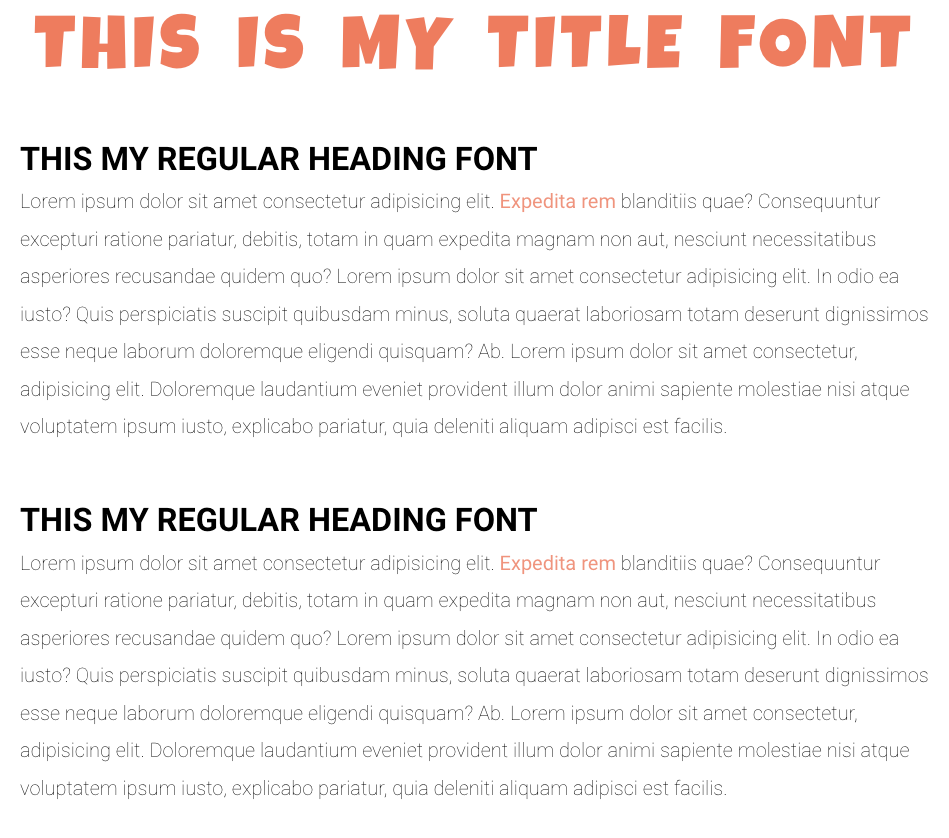
Things to consider with your pairing and simple web page created:
- Have a heading font and body font
- Use your color palette from the color shading exercise to color your heading font and a link in the body text example.
- For your link, create both
:linkstate and:hoverstates, they should differ so the user recognizes the text as a link. - Finally as stretch goals, use variables and consider space and scale
- Use Variables: the
:rootselector and--color-varnameproperty andvar(--color-varname)value in your css. - Have your title font be much larger, consider letter and word spacing
- Have there be space between sections to clearly differentiate a heading with a body of text
- Finally consider line height with your body text
- Wrap your sections with a
mainelement and set amax-widthfor readability and center with themargin: 0 autocss trick.
- Use Variables: the
Upload a link to the simple webpage and add a screenshot


